Highlights
We're excited to announce our latest updates
Ticket Workspace
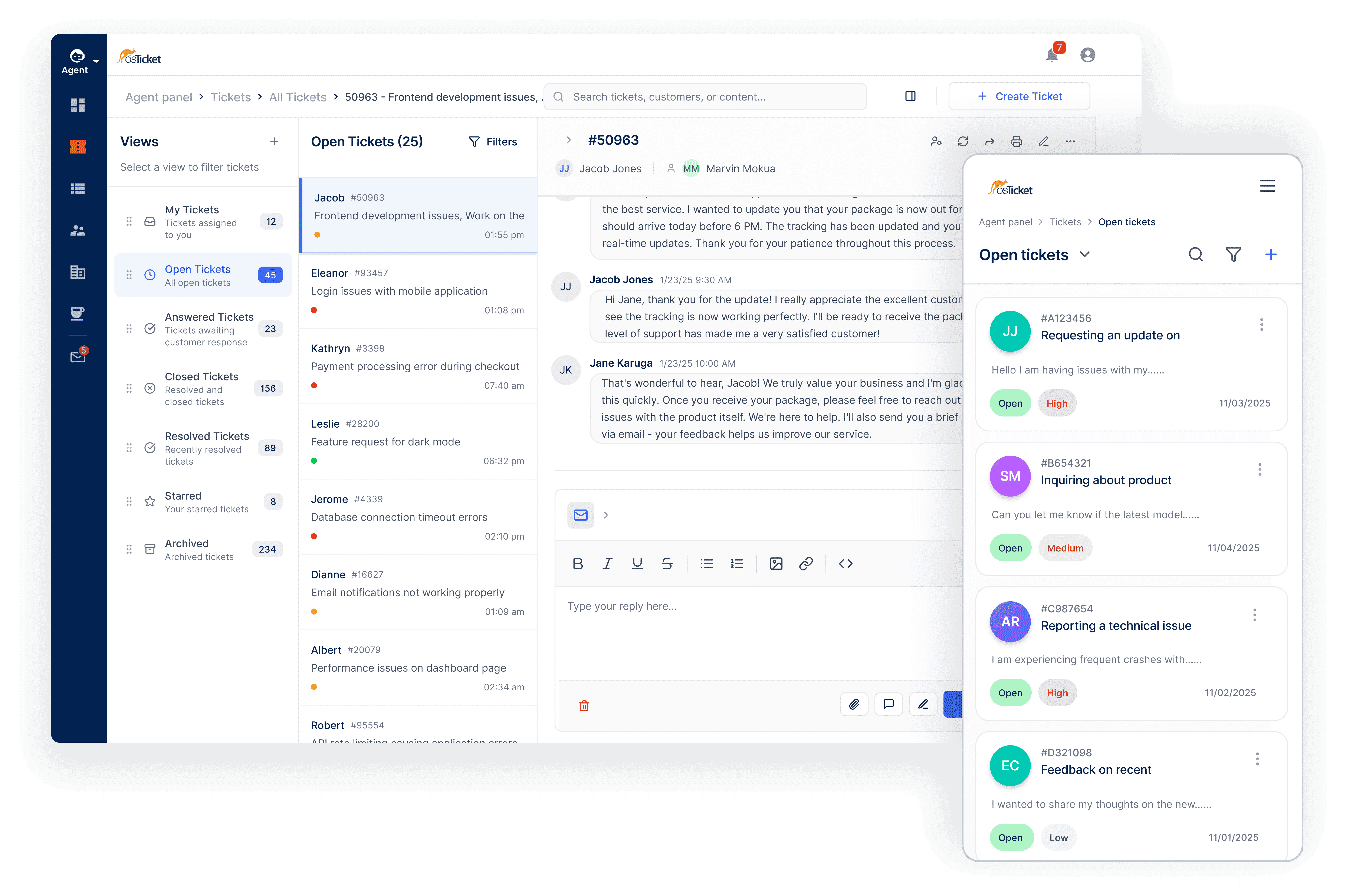
The traditional ticket page has been redesigned into a modern support workspace. Instead of a rigid message thread, agents now interact with a cleaner, more flexible interface that prioritizes context and workflow efficiency.
Collapsible ticket threads, improved navigation, a streamlined reply editor, and a mobile-responsive layout make it easier to scan conversations, review key details, and respond quickly without losing context.
Content Management System
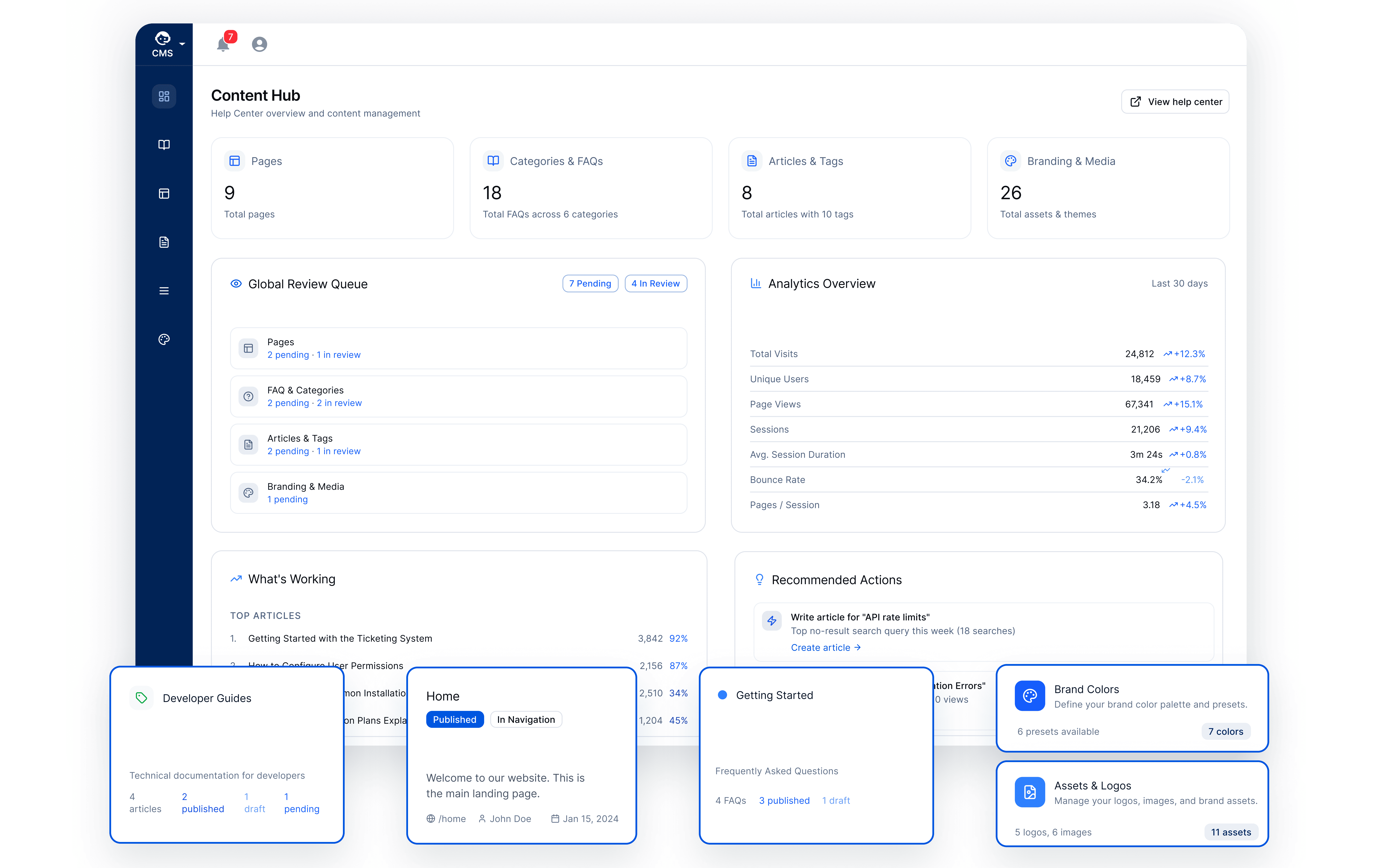
osTicket 2.0 introduces a significantly expanded Content Management System designed to power a full self-service support experience.
The new CMS includes a flexible page builder with widgets and templates, improved Knowledge Base and FAQ organization, expanded branding controls, and a centralized Content Hub for managing articles, pages, and support content.
Theming and Branding
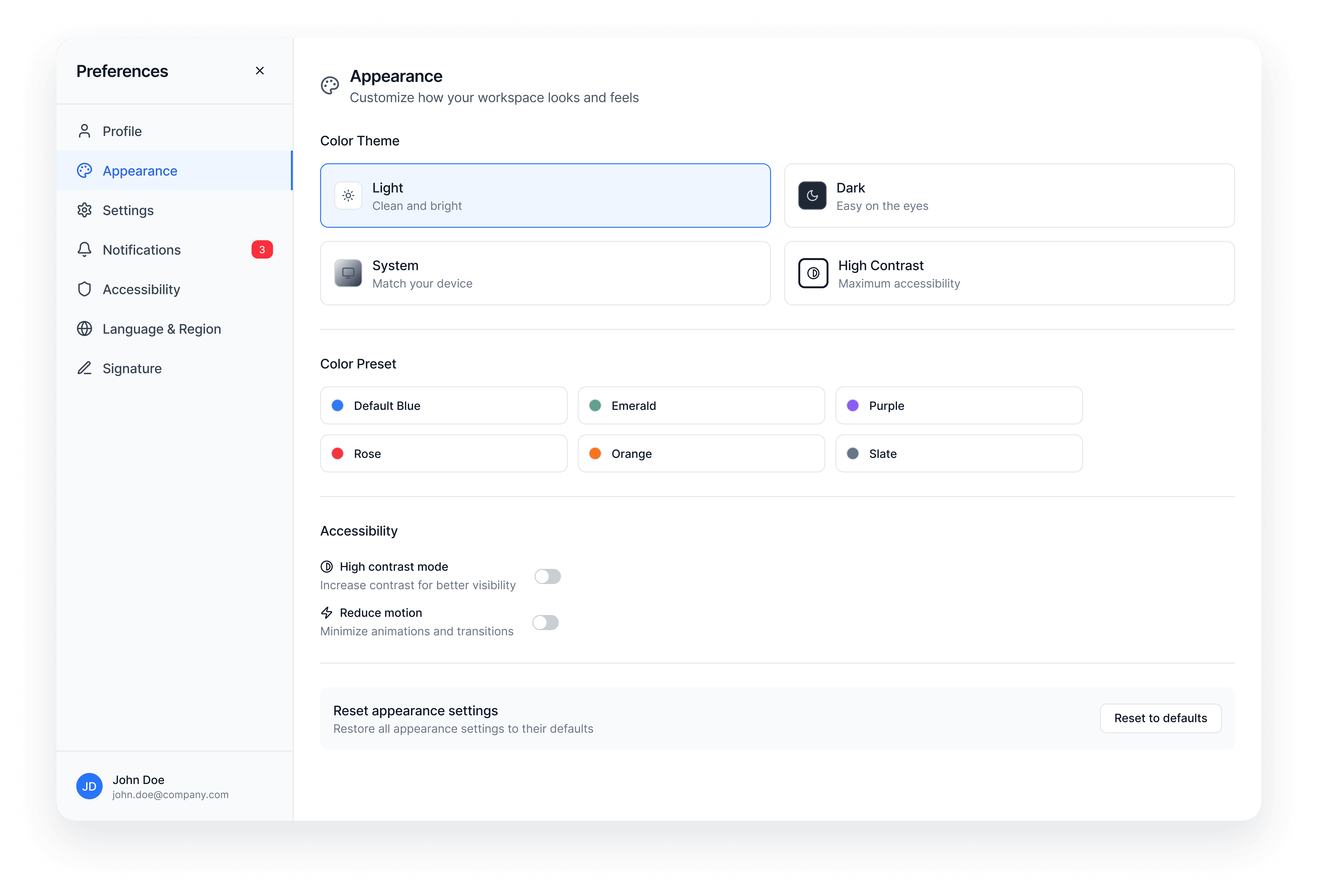
The new theming system makes it easier to customize the look and feel of the platform.
Themes can generate complete color schemes from a single base color, automatically adjust contrast for accessibility, and support a built-in dark mode while maintaining consistent branding across the system.
Status Page in the User Portal
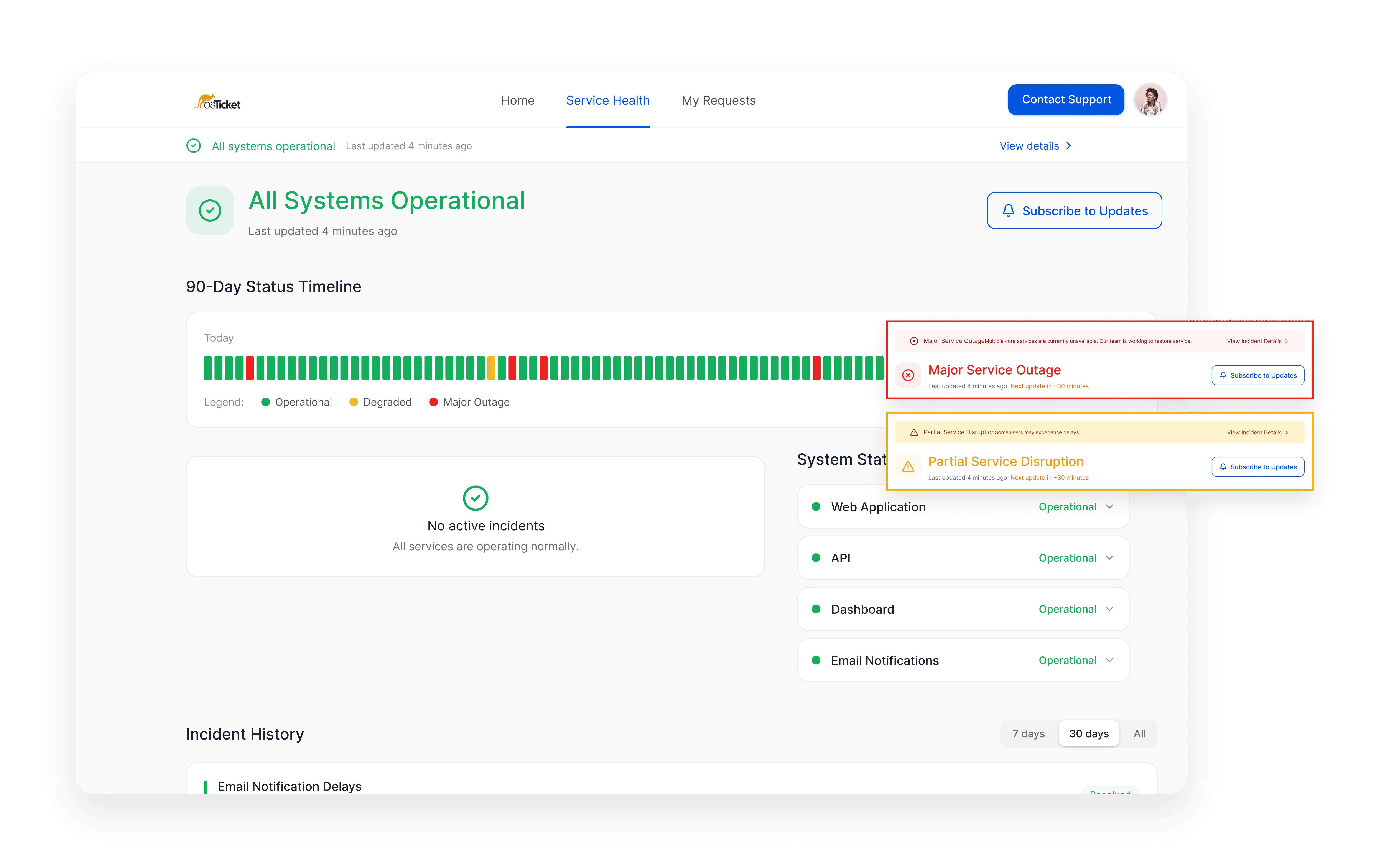
osTicket 2.0 introduces integrated incident and system status communication directly inside the help desk, where it belongs!
Teams can track shared incidents using Issues, which represent problems affecting multiple users or systems. These issues power a built-in Status Page and Status History, allowing users to follow incidents in real time while helping teams reduce duplicate support requests. Learn More
Custom Forms
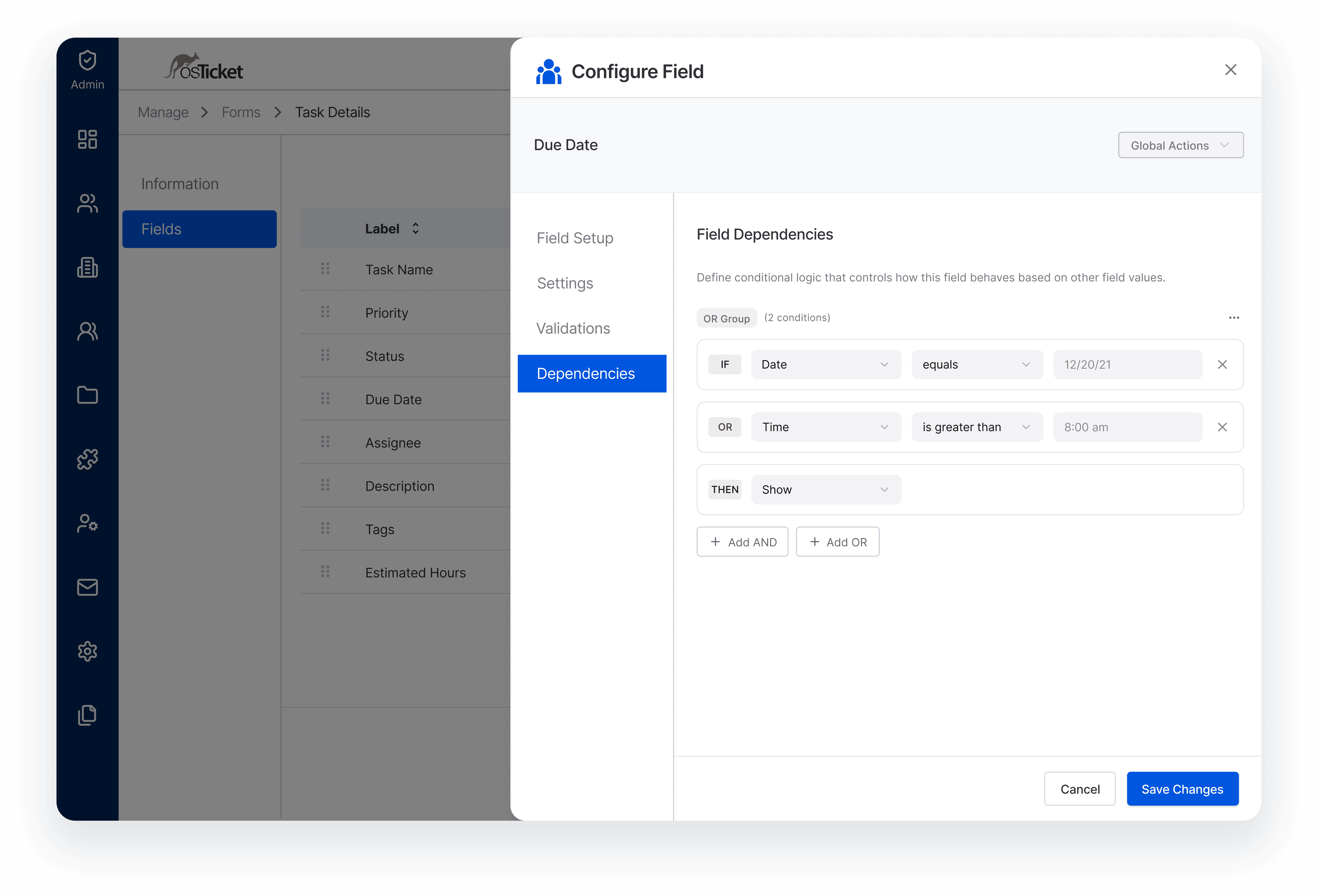
Custom Forms allow organizations to capture structured information tailored to their workflows.
The updated form builder includes conditional field logic, expanded field types, form previews, and a more intuitive editing experience for building dynamic intake processes.
View Builder
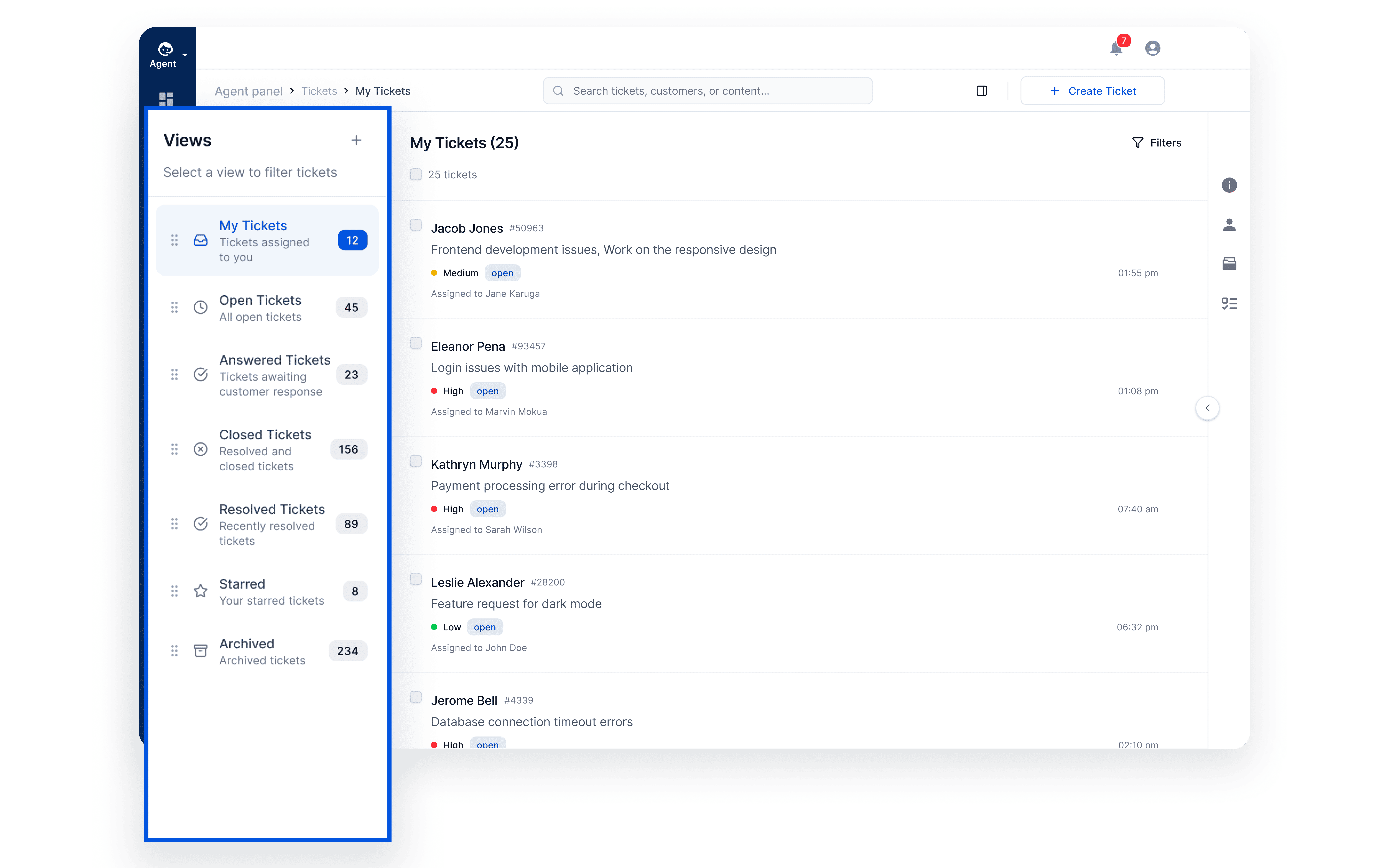
The View Builder expands the original ticket queue concept into a system-wide capability.
Views define how records are filtered, sorted, and projected across tickets, tasks, users, and other models, allowing teams to surface exactly the information they need to manage work efficiently.
Learn more in Queues to Views Everywhere: The Data Model Behind osTicket 2.0
Workspace Dashboard
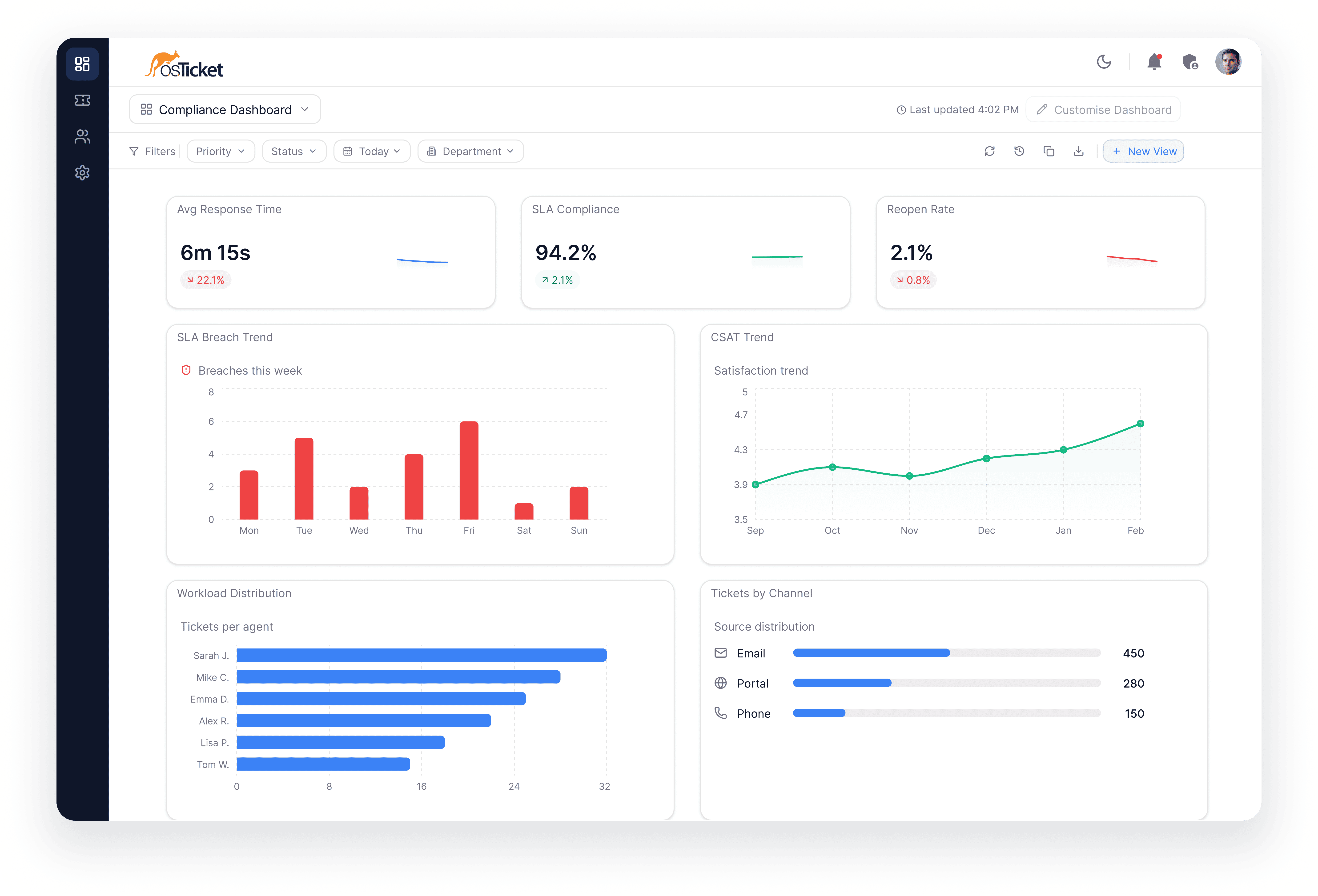
The Workspace Dashboard replaces the traditional ticket counter with a customizable analytics workspace.
Using modular widgets and flexible layouts, teams can monitor metrics such as ticket volume, SLA compliance, CSAT scores, and agent performance.
Platform Architecture
API-First Platform
osTicket 2.0 exposes core system capabilities through APIs, enabling integrations, automation workflows, and external systems to interact with the platform.
Framed Projection Architecture
The platform now separates core system capabilities from the interfaces that present them.
This architecture allows the backend to define system capabilities while the frontend projects them into different interfaces and experiences.
Interface Projections
The web UI is now just one projection of the platform.
The same system capabilities can power mobile interfaces, integrations, automation workflows, and future AI-driven tools.
Explore the architecture in Inside osTicket 2.0: A Bird’s-Eye View of the Architecture
Notable Mentions
Don't miss out on these feature updates
Multiple Database Engines
New installations can run on database engines supported by Laravel e.g MySQL and PostgreSQL etc.
API-First Platform
Core system capabilities are exposed through APIs, enabling integrations, automation, and external workflows.
Issues: Incident Management
Track system incidents directly inside the help desk and link incoming tickets to active issues.
Custom Views & Columns
Define filtered views of your data and customize the columns displayed to match your workflow.
Modular User Interface
Interfaces are composed from reusable elements, widgets, and page shells.
Decoupled Architecture
Platform capabilities are separated from the interfaces that present them.
Plugin Architecture
Extend the system through a modular plugin framework designed for integrations and customization.
Interface Projections
The web UI is just one projection of the platform, enabling mobile apps, integrations, and AI-driven tools.
Query Auto-Joiner
Traverse model relationships automatically when building queries, enabling dynamic views and filters without manual joins.